
Reservations & tenant records
Keep enquiries, reservations and tenant information together, reducing repeated data entry at handover.
Which properties are awaiting move-in, which rents are unpaid, and which repairs still need follow-up? ForentX connects property, tenant, lease and financial records for landlords and rental operations teams, bringing work orders, smart devices and your branded website into the same workflow, with a clear status and next steps for each task.
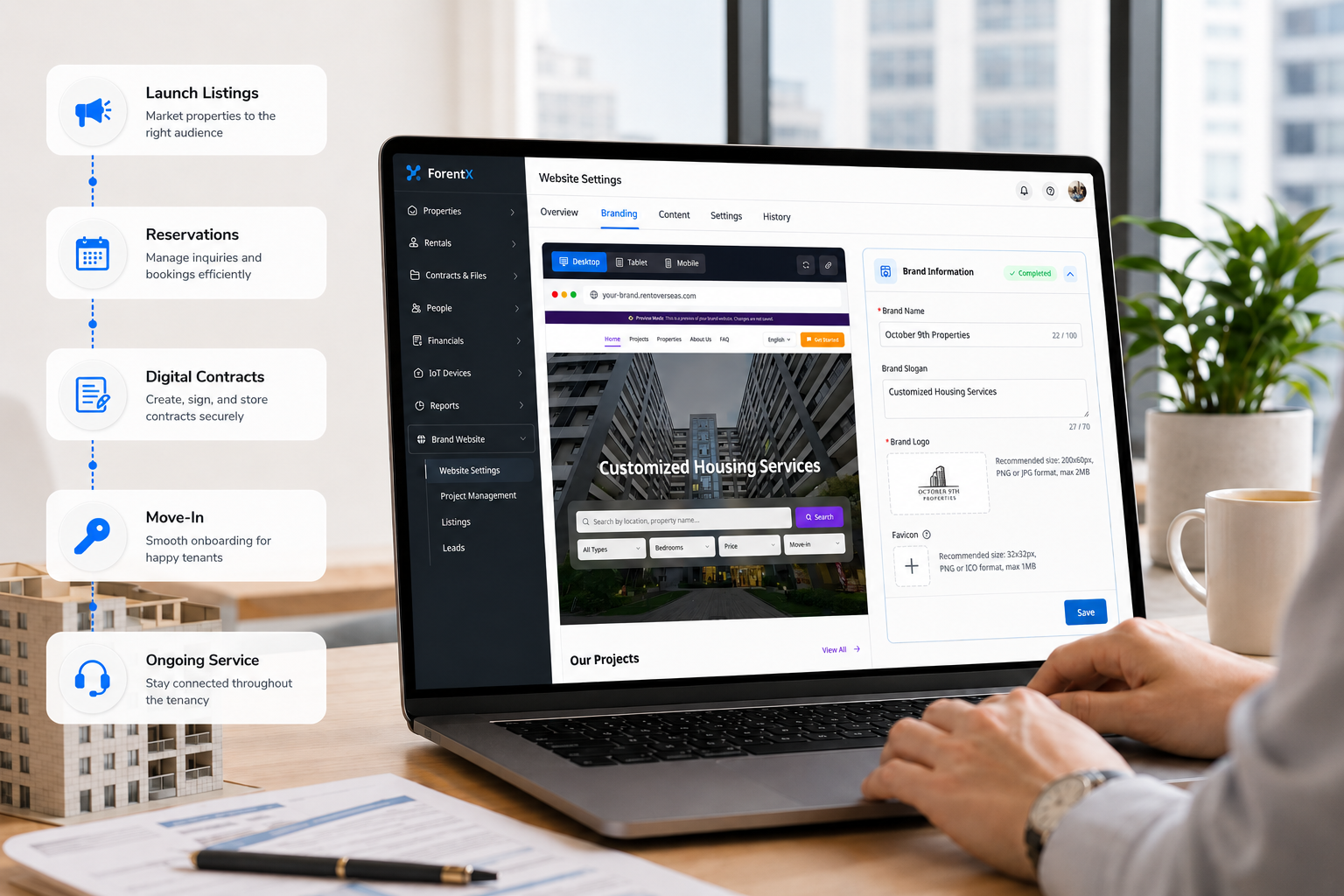
Explore the capabilities behind leasing, daily operations and connected services. Each module supports a different part of your rental business.
Keep contracts, charges and payments connected so your team can follow the next tenancy action.
Keep enquiries, reservations and tenant information together, reducing repeated data entry at handover.
Manage lease documents and digital signing records together, making contracts easier to find and follow up.
Configure billing cycles and recurring charges against leases, reducing repetitive monthly billing work.
Review receipts, payment records and supporting vouchers. Gateway options depend on merchant setup.
Review lease dates and renewal records so upcoming tenancy decisions are easier to plan.
Bring check-out records, outstanding charges and deposit settlement into the tenancy workflow.
Give your team a clear view of the properties they manage and the work that needs attention.
Organize property, room and tenancy information in one place rather than maintaining separate files.
Review reservation, occupancy and check-out information to understand which units need action.
Tenants and operators can create and follow work orders on web and mobile, keeping requests out of scattered chats.
Assign, reassign or transfer work to vendors, with responsibility and progress recorded together.
Follow processing and verification records so handovers and outstanding service work are easier to check.
Keep work-order costs and performance information available for operational review.
Extend rental management to compatible devices, your branded website and shared reporting. Confirm integration scope for your configuration.
Connect compatible locks to property operations, with supported access actions confirmed for your devices.
Review meter information and utility-related records with the property. Available readings and billing flows depend on integration.
Bring property presentation, enquiries and reservations closer to the leasing workflow through your own website.
Organize access by team role so leasing, finance and operations can work with appropriate permissions.
Review rental operations and financial information through dashboards, reports and exports.
Review currency, property information and payment requirements to confirm the configuration available for your rental business.
Tell us your role and portfolio size. We will focus on lease management, rent records and maintenance, and discuss any smart-device or branded-website requirements.
See lease, billing and maintenance workflows relevant to your portfolio.
Bring your property types, portfolio size and the tasks you want to improve.
Walk through tenancy, billing and maintenance, plus any device or website requirements.
Confirm data preparation, migration scope, training, configuration and quotation before rollout.
Request a quote based on portfolio size, required modules and implementation scope. Confirm hardware, installation and payment-provider fees separately.
We can review your current data formats and workflow. Import scope, data preparation and integrations need to be confirmed before migration.
Show us your current workflow. We will demonstrate relevant functions and discuss configuration, training and rollout requirements.
Before purchase, review permissions, hosting, backup and data-handling requirements with our team. Confirm the arrangements that apply to your deployment.
Device compatibility, gateways and payment methods depend on your merchant setup and configuration. Confirm integration requirements and related costs during the demo.